
When you’re ready to build a new website, comparing different packages can be confusing. Between all the features, ambiguity about what those features mean, and acronyms by the dozen, it’s hard to work out whether you’ve found a good deal … or whether you’re about to get ripped off by a website mill with a Claude Code subscription.
And that’s why I wrote this guide. Use the definitions here as a source of truth. That way, you can compare apples to apples – and make sure your chosen package actually includes the things you need.
Features are broken down into categories, then organised alphabetically. The easiest way to find a feature is to search this page by hitting CTRL + F (or using the search function on mobile).
Planning
Website hosting lets people access your site through the internet. You pay a hosting provider a fee (monthly or annually) to host your website files on one of their servers.
Most website packages won’t include hosting. Because it’s an ongoing fee, it’s normally charged as a separate line item (like our hosting plans). If a marketing agency does claim they include hosting, make sure you clarify:
- how long the hosting is for (for example, 12 months upfront)
- storage and monthly traffic allowance
- whether you have access to your site files cPanel or an equivalent
- where the hosting provider’s data centres are located (Australia is best).
Hosting is not included in our website packages, but is available separately.
Keyword research involves finding the terms people type into Google for your products/services (keywords). You can then write your website pages to target different keywords. For example, iOnline might write a page targeting ‘web design gold coast’. Ideally, we’ll show up when someone on the Gold Coast types that keyword into Google.
Most website packages won’t include keyword research. One, not every website needs SEO. That’s a decision for you to make when you architect your marketing strategy. Two, keyword research should be conducted by whoever is running your SEO strategy – not your website developer.
Be very wary about agencies that bundle keyword research into standard website builds.
Keyword research is only included in our blended website and SEO packages, which combine a website build with a 12-month SEO strategy.
Mockups are images of what your website pages will look like when they’re finished. They’re high-fidelity and full-colour – but not interactive. Most agencies use mockups to get feedback on the visual design of a website or app before it gets developed.
Not every web package needs mockups. Some agencies get design feedback on staging pages instead, which is equally fine. The main thing: you have an opportunity to give feedback on the visual design and live site separately.
Mockups are included in our website packages.
Almost all fixed-price website packages will include a set number of pages. Normally, that means the agency will design and develop those pages for you, but not write the copy or supply custom images. Additional pages can often be added on for a per-page price.
When you talk to an agency, make sure you check what counts as a ‘page’. For example, if 5 pages are included in your package, are they 5 custom pages or 5 duplicates of the same template? Does your agency include required pages like legal policies in their page count? On e-commerce sites, are product and category pages included or excluded?
Our page counts refer to unique pages and exclude legal policies. Product pages are counted separately under our e-commerce website packages.
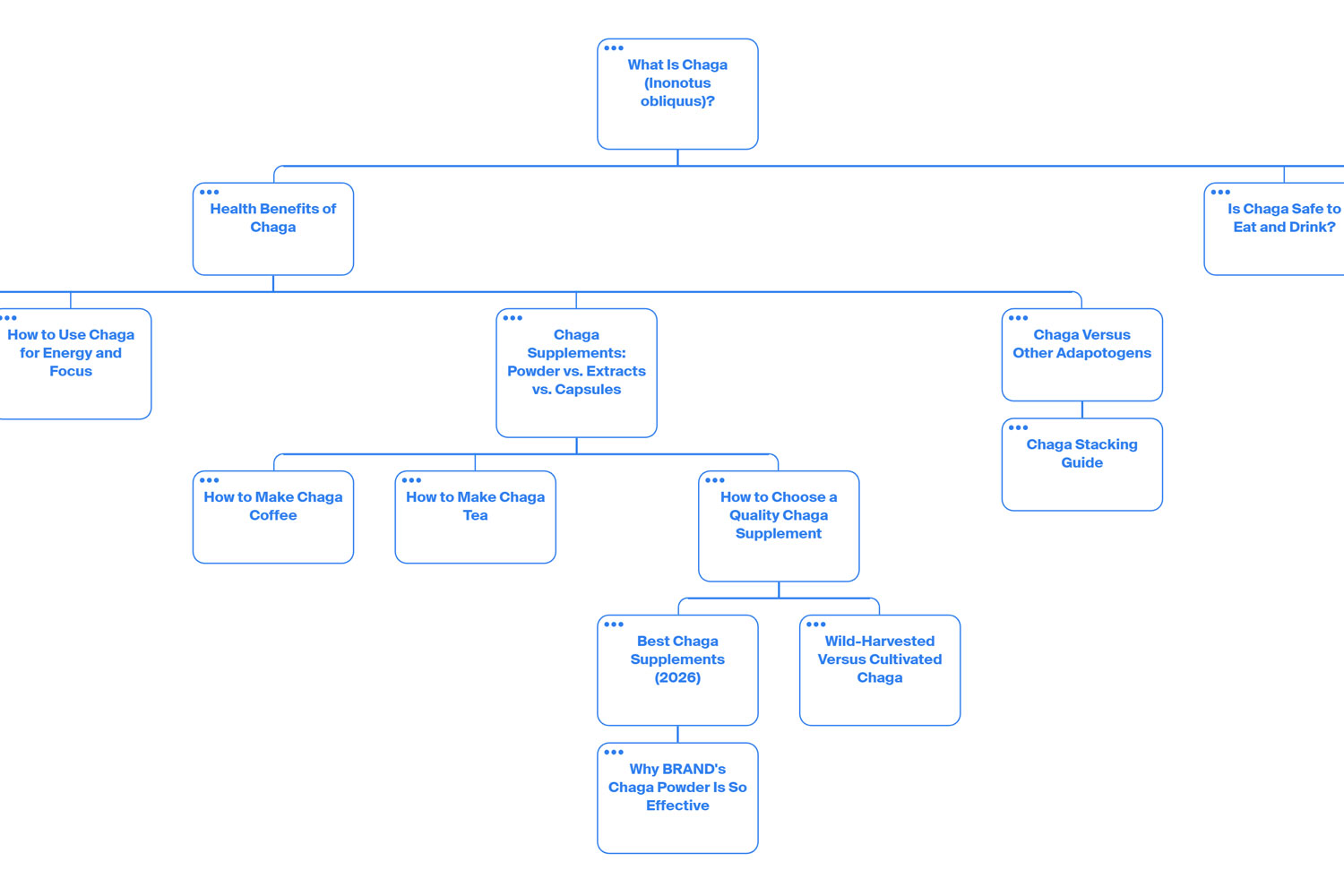
A visual sitemap is a rooted tree diagram that show how the pages on your website are structured in relation to each other. It’s a great way to understand how your website is set up – and how it looks to search engines and LLMs.
Very small sites don’t normally need sitemaps. If you’re buying a package for 5 pages or more, though, your agency should provide some kind of document that visually illustrates page relationships. It’s a useful tool for future site expansions (and helps you make sure the agency has actually thought about things like file paths).
All our website packages include visual sitemaps.
On-Page
‘Semantic structure’ refers to using HTML elements correctly so the information structure of a page is clear. Even though headings on a web page might just look like bigger lines of text to you, their HTML (code) is different to normal text.
Headings have 6 levels: H1, H2, H3, H4, H5, and H6. Each level should be nested under the level above it. For example, all pages should have an H1 – and the H1 should always come first. To indicate sections further down the page, you might have multiple H2s, followed by H3s for subsections that sit under those.
Using HTML headings correctly is a standard part of both web development and SEO. Even if a website package doesn’t explicitly reference semantic heading structures, assume that it’s included.
We use HTML elements correctly across all website development, app development, and SEO work we undertake.
Search engine optimisation (SEO) is the process of deliberately changing your website to make it more appealing to search engines and LLMs. It’s an ongoing marketing initiative, not a one-off project like a website build.
If an agency includes ‘once-off’ SEO in their web development packages, be very wary.
SEO is only included in our blended website and SEO packages, which combine a website build with a 12-month SEO strategy.
Linking from your website to your social media pages is a good idea. It helps both users and search engines find your ‘official’ accounts and profiles. Adding social media links is very simple – all website packages should include it.
All our website packages include the option to add social media links.
Stock images are generic images that are available from stock image providers. Most stock images come with a licence that restricts what you can and can’t do with them.
While original images are better for both your users and for SEO, stock images can be good placeholders while you wait for proper photography. Many website packages include a set number of licensed stock images.
All our website packages include an unlimited stock image supply (for use on the website).
Code
A content management system (CMS) is a platform that lets you publish text, images and videos on websites without coding. WordPress.org and Shopify are both examples of popular CMSs.
Almost all small business websites are built on CMSs. It’s worth asking what CMS your agency will be using – consumer-grade CMSs, like Squarespace, Wix and Weebly, lack customisability and can be difficult to scale.
Unless you’ve requested a bespoke build with something like Laravel, we’ll develop your site on WordPress or Shopify (depending on your business and requirements).
Copywriting is text that is primarily designed to get someone to take an action. On your website, copy includes both the text and how the text is organised (UX design).
Most website build packages don’t include copy. Like SEO, copy orchestration is a separate, specialised skillset. You’ll either need to provide the text yourself before the website build begins or find a freelance copywriter to do it for you. (Some agencies do offer professional copywriting as an add-on.)
Copywriting isn’t included in our website packages, but you can – and should – add it on.
A favicon is the small icon-like image that shows up in browser tabs and on search engines. Most websites have their favicon set as some version of their logo. It’s an important part of building trust, so all website packages should include it by default.
All web pages we build include favicons.
A meta-description is a piece of metadata that sits in your website’s code. It shows up in search results under the title of your web page – although, in many cases, Google rewrites meta-descriptions for search purposes anyway.
Meta-descriptions are a basic part of building out a web page. Your web development agency should include them by default.
All web pages we build include meta-descriptions.
To be usable across different screen sizes, a website must be responsive. That means its appearance changes across widescreen, desktop, tablet, and mobile. For example, items that appear next to each other in a row on desktop might appear stacked on top of each other on mobile.
All modern websites should be mobile-responsive. In fact, many sites can benefit by being designed first for mobile, then being made responsive for desktop. If your site doesn’t work or display properly across different devices, your agency hasn’t done their job.
All websites we build are mobile-responsive.
If you sell products online, you need a way to manage those orders. Platforms like Shopify and WooCommerce (a WordPress plugin) make it simple to do things like track new orders, issue refunds, and send notification emails to customers.
Only e-commerce websites need order management. If you are paying for an e-commerce package, order management should be included by default. Make sure you check with your agency that whatever platform they’re using has the right functionalities.
All our e-commerce website packages include order management.
If you see ‘product reviews’ or ‘product ratings’ referenced in a website build package, it’s probably a reference to the little star ratings you see on e-commerce product pages. In some cases, those pages will also have a feed of real customer reviews further down.
To display product reviews in a dynamic way (read: automatically updated), you’ll normally need a plugin or an app. WordPress, for example, has various free and paid plugins your agency can use to aggregate comments from places like Trustpilot and Google Reviews.
Keep in mind that this addition isn’t ‘standard’ – it’s most applicable to e-commerce sites, and may require a bit of extra work from your agency.
We can include product reviews within our packages upon request. You own the site, so any plugin fees will be billed directly to you.
A product search function is a feature that lets users search your site for e-commerce products. While most e-commerce CMS themes do have search functions available out of the box, it’s worth checking with your agency. Building a search function from scratch can be complex – especially if you want advanced features like auto-complete or semantic search.
All our e-commerce website builds include basic product search, which text-matches product titles. Advanced search is available upon request via plugins/apps or custom coding.
To ship e-commerce products to customers, it can be helpful to have a shipping platform integrated with your order management system. That way, you can automate things like label printing and batch shipping – and have it all visible within one pane of glass.
Because a shipping integration can take time to set up properly, it may not be included as a standard item within a website build package. Many platforms also come with additional fees.
All our e-commerce website builds include a shipping integration with flat-fee shipping, free shipping, and local pickup options.
Like meta-descriptions, title tags are a type of metadata. Importantly, though, they have a much bigger impact on your SEO and how you show up in search results.
All website pages should have appropriate title tags when they’re published. Assume that your website development agency will include them by default.
Every web page we build is assigned a title tag.
W3C is the standards body for multiple coding languages, including HTML. A W3C compliance check assesses whether a web page’s code is ‘correct’ – that correctness can impact everything from how it works to how search engines understand it.
Most agencies don’t hand-code small business websites. Instead, they’ll normally use visual builder plugins like Elementor. That means, if you want to change something small like an image or text, you can do it yourself rather than paying a developer.
Unfortunately, visual builders are very bloated. That can result in some non-compliant HTML being present on the page. As such, it’s not easy to ensure full compliance – be sceptical of agencies that do advertise W3C compliance.
(You can check a site’s compliance by running it through this validator. Errors mean the site is not compliant. Keep in mind that different errors have different severities – assigning an invalid property has no impact, whereas leaving off a closing tag could cause severe rendering issues.)
We don’t check and fix W3C compliance as part of our standard website packages, but can do it upon request.
Integrations and Tools
Google Analytics (GA) is the world’s leading website analytics platform. It’s free, safe, and works extremely well. If you want to track key website metrics like engagement rate or page visits, you need GA.
Not all agencies will install a GA tracking script by default – and, if they do, they won’t necessarily set up things like key events. It’s worth having that data collected from the start, so make sure you ask whether it’s included in your website package before you buy.
All our website packages include GA installation via Tag Manager.
Google Analytics measures what happens on your site. Google Search Console (GSC) measures what happens before – specifically, what terms people Google and what pages they click. It’s an important platform to set up if your ideal customers might use Google to find the products and services you sell.
We’ll set up GSC and submit a sitemap when we launch your website.
To take payments online, you’ll need something called a payment gateway. It’s an app or plugin that lets customers securely check out. PayPal, Stripe, and Square are some of the most popular platform-agnostic payment processors. WooPayments and Shop Pay are the native gateways for WooCommerce (WordPress) and Shopify respectively.
All our e-commerce website packages include a payment gateway of your choice.
Post-Launch
Some agencies offer cheap website build packages – with the catch that you don’t actually own the website you build. While you should always have full ownership and control over any website you pay for, it’s worth checking the terms and conditions of your project contract.
Upon payment, you have full ownership rights to any website we build for you.
During a website walkthrough, your agency will show what they’ve built and why. The basic purpose is to help you understand the rationale of the designers and developers – the more you ‘get it’, the less you’re likely to request lots of changes.
A website walkthrough isn’t particularly necessary, but most agencies include them when they send through the practically completed staging site for review.
When we invite you to give feedback, we include a short Loom walkthrough of all key website aspects.
Website builds have 4 approval stages:
- The strategy and site structure
- The copy
- The visual design
- The staging site
At each stage, you should have at least one round of revisions included in your package. (The copy and visual design will likely need more amendments that the staging site.) That gives you an opportunity to provide feedback before your site goes live – which is especially important if you’re working with a lower-cost agency.
All our website packages include one round of revisions for the visual design and one round of revisions for the staging site.
Even the best-built websites can have problems – included support means you won’t be left out of pocket if you encounter bugs. Most packages have a specific support window (a little like a warranty on a physical product). It’s worth seeing how long that support window is and what kind of fixes are included.
All our website packages come with included support for a limited period.
During website training, someone from your agency will show you how to do basic things like:
- log into the back end of your website
- make minor changes to text and images
- add, remove and update plugins
- manage orders.
Not all website build packages include training. If you feel like you could benefit from a training session, make sure you ask your agency whether it’s included or an extra before you sign.
All our website packages come with a live, one-hour training session that you can rewatch later.