Episode 1
Can’t make it? Register and get the replay sent to your email.


In This Session
Most business owners who’ve looked at Google Ads have the same hesitation: it’s not clear what you actually get for the spend. Clicks are not leads. Impressions are not customers. And the platform isn’t designed to make that easy to see.
In this Signal Session, Michael Essery, Paid Media Manager at iOnline, walks through how Google Search Ads work in practice for local businesses: what a well-structured campaign actually costs, how it connects to real enquiries, what realistic results look like at different spend levels, and how to read your numbers without being misled by metrics that don’t connect to revenue.
You’ll leave knowing how to evaluate Google Ads as a business decision – not a leap of faith.
Mel: Alright, we’re on, everyone. Thanks for joining. We’ll get started in a few minutes – just waiting for a few more people to join. In the meantime, can we do a quick sound and video check? Pop a quick hello in the chat on the left if you can hear us. Okay, I think we’re good.
We need some intro music. We forgot to invite the DJ – we’ll have to sort that out next time.
Should we launch that first poll? Michael, if you guys can see the polls section in the interface, there’s a poll asking “Are you currently running Google Ads?” Go ahead and respond, and that way we can tailor the session as much as we can to keep it interactive and valuable.
Just some quick housekeeping while we wait for a few more people. On the left-hand side of your screen you’ll see a couple of tabs. There’s a chat tab – some of you have already used it to say hi, feel free to type any messages or questions in there. We also have a Q&A tab, where you can ask questions anonymously if you’d prefer your name not be associated with the question. Just tick “ask anonymously.” Polls will launch throughout the presentation as well, which helps us tailor the content to what you need.
Let’s get started. Welcome to the very first session of Signal Sessions – our monthly educational webinar for iOnline clients. The goal is to provide some additional education and answer any burning questions you might have. No question is a stupid question, so ask away. If something’s particularly complex it might become a topic for a future webinar, or we can have a chat afterwards.
Today we’re joined by Michael, our Paid Media Manager. He’s going to give you a clear picture of what Google Ads actually cost, what they can deliver for your business, and how to evaluate whether it makes sense for you. Over to you, Michael.
Michael: Thanks, Mel. Hello everyone – just checking you can hear me okay. Good.
Today’s session, as Mel said, is about cutting through the confusion around Google Ads. From the poll, it looks like about 75% of you are already running ads, which is great – so I can tailor the material based on that.
Whether you’re running them already or not, you’ll walk away with a clear understanding of how they work and how they can help you reach your business goals.
Most business owners are hesitant initially when it comes to paying for leads – and you should be. You need to protect your bottom line and your profitability. That’s what we’re committed to at iOnline: partnering with you to grow your revenue profitably, not just generate more traffic and clicks.
If you’re already running ads, no doubt you’re seeing lots of metrics, but chances are you’re not quite sure what you’re actually getting for the spend. That’s because the platform surfaces metrics that don’t always connect to what you care about – leads, customers, and revenue. That’s not a confidence problem, that’s a clarity problem. And that’s what we’re going to fix today.
Here’s what we’re covering:
As Mel said, pop your questions in the chat or the Q&A as they come up and we’ll handle them at the end.
This is the fundamental difference between Google Search and almost every other form of advertising. With Google Search Ads, you’re not interrupting someone mid-scroll – you’re showing up at the exact moment they’re looking for what you have to offer.
That intent is what makes search so powerful for local businesses. Someone searching “emergency plumber Gold Coast” is not browsing – they need a plumber right now. The question is whether your business shows up when they do.
This is why the higher cost per click on Google Ads, compared to platforms like Facebook and Instagram, is worth paying – those clicks are much more likely to buy.
I’ve got another poll here: “When you look at your Google Ads results, what do you focus on most?” Options are clicks, impressions, cost per click, leads or inquiries, or “I don’t look at the results” – no shame in that. Answer honestly. Looks like a mixed bag, which is good – that leads into the next slide.
Google’s dashboard is full of numbers, and most of them are designed to show the platform in a favourable light. Impressions, clicks, click-through rate, conversion rate, cost per click – these are all activity metrics, not outcome metrics. A campaign can have a great click-through rate and still generate zero inquiries.
What you really want to measure is simple:
Everything else is noise. It can be helpful for troubleshooting and diagnosing campaigns, but at the end of the day those four numbers are how you make High-Level judgement calls.
There are a lot of numbers here, so bear with me.
Let’s say your average customer value – or what we refer to as AOV, average order value – is $1,500, and you’re happy to test Google Ads at $1,500 a month in ad spend.
Cost per click can range anywhere from $2 to $20, or even more for extremely competitive industries. For this example let’s say you’re in a reasonably competitive market and your CPC is $10. So $1,500 of spend gets you 150 clicks.
The next step is the click-to-lead conversion rate. For service-based businesses, 10% is pretty typical – so that’s 15 leads at an average cost per lead of $100 each.
Then the lead-to-sale conversion rate. Again, varies by industry, sales process, and sales ability, but 20% is typical for local service businesses. That means 3 customers from those 15 leads.
At a $1,500 average customer value, that’s $4,500 in total revenue and a cost per acquisition (CPA) of $500 to acquire one customer.
The result: a 3:1 ROAS (return on ad spend), or in our terms, a 200% ROI. That’s typically the minimum ROI we aim for as an agency. We do have clients consistently getting over 1,000% ROI every single month.
You might look at $500 per customer and think that’s a lot – but your margins may look very different to other businesses, which is why you really need to nail these numbers down before you run ads or make judgement calls on campaigns.
The numbers will vary by industry, location, and competition, but the principle is consistent: once you know your average cost per lead, you can work out whether the channel is profitable based on what a new customer is actually worth. A $100 cost per lead is expensive for a $150 service, but excellent for a $3,000 one. The budget question only makes sense once you know these numbers.
I’ve got another poll: “Do you know what it costs your business to acquire a customer through Google Ads?” Options: yes I track it, no I’ve never calculated it, or roughly but not precisely.
The truth is most people don’t have that number when we speak to them. That’s exactly why the action item at the end of today is what it is – once you know your average order value and your cost of acquisition, every budget conversation has a benchmark.
The question isn’t “how much does Google Ads cost?” – it’s “how much does a new customer cost me?”
We built this whole session around that question because it changes how you make every decision about paid advertising. Most conversations about Google Ads start with “what’s the budget?” – which isn’t the right starting point. Budget only makes sense once you know what a customer is worth to you. Once you have that number, you can evaluate any channel, not just Google Ads.
Another question we hear often: “Should I sort out SEO first or focus on Google Ads first?” The answer is they serve different purposes on different timeframes.
SEO is a long-term asset. It builds compounding visibility over months and years. Google Ads is immediate – you can be in front of potential customers this week.
For businesses that don’t yet have strong organic visibility, search ads can generate leads while that foundation is being built. For those who already have good SEO, ads extend your reach and capture demand your organic listings might be missing.
A few other things to bear in mind:
They work together. I always recommend having both ideally, because they serve different purposes and keep you covered on both ends.
Google Ads isn’t the right fit for every business – and we’d rather tell you that up front than have you spend money to find out.
The strongest candidates are usually businesses where customers are actively searching for the service: trades, professional services, healthcare, education, home services. Anywhere customer value is high enough to absorb a reasonable cost per lead. If you’re not sure whether that’s you, that’s exactly what the next step addresses.
If those four points on the slide fit where your business is at right now, drop a thumbs up in the chat so I can see.
Work out what a new customer is worth to your business.
You may already know this, you may not. If you don’t, this is the one thing to do before you have any conversation with us or anyone else about Google Ads. It’s not complicated:
If you have a recurring element in your business – customers who come back multiple times – factor that in too. The acquisition cost might only be covered by the initial purchase, but over twelve months the customer value can be much higher depending on your business structure.
Also work out:
Once you have those numbers, every paid marketing platform decision makes so much more sense.
Before we go to Q&A – a couple of practical options if you want to look into this in more detail for your own business.
If you’re currently running Google Ads and want to know whether they’re working as efficiently as they can be, get in touch for a free audit. We’ll review your current campaign structure, settings, and tracking setup, do a high-level analysis of your campaigns and landing page, and walk through it with you on a call.
If you’re not running ads yet and you’re wondering whether they’d be a good fit, we can also look into that. You’ll get a written report including estimated monthly search demand for your services or products, projected cost per acquisition across different scenarios, and high-level recommendations on how we’d approach it.
We normally charge about $300 for either of these, but as a webinar attendee you can get them at no cost. Full details will be in the follow-up email – you don’t need to do anything right now.
Mel: Michael, one more poll while we bring the questions in: “After today, how confident do you feel about evaluating your Google Ads performance?”
This came in earlier when the numbers slide was up – can we bring that back?
Michael: Sure. Starting from the top:
Average customer value (AOV / average order value) – what a customer is worth to you. Take your last twelve months of revenue divided by the number of customers serviced. If you have an e-commerce-style business with an initial purchase plus upgrades, we distinguish between AOV (the first purchase) and customer lifetime value (total over time). For most businesses with one main service, you can simplify.
Ad spend – self-explanatory.
Cost per click (CPC) – what Google charges you when someone clicks your ad. Typical range is $2 to $20. I actually averaged all our clients last week preparing for this and it’s around $2 CPC, which is great.
Mel: You won’t usually see much less than that these days. Back in the day a $1 CPC was achievable, but not anymore.
Michael: That’s targeting globally now.
Click-to-lead conversion rate – when someone clicks an ad, what percentage become a lead. A lead is someone who’s taken an action that allows you to contact them: filled in a website form with their name, email and phone, called your business after seeing an ad, anything where an inquiry comes into your business.
Lead-to-sale conversion rate – once someone is a lead, what percentage actually pay you for your services. That’s the conversion rate from inquiry to customer.
Revenue – money that comes into your business.
Cost per customer / CPA – how much it costs to generate an actual customer, not just a lead.
ROAS (return on ad spend) – what most marketers reference. Typically when I speak with business owners, ROI is the metric they understand and use more in their reporting. Most business owners understand investing, so that’s usually the term they use. You can use either, but we tend to focus on ROI in our reporting because that’s the language of business owners. ROAS is more of a marketing term.
Michael: Good opportunity to talk about the learning phase. With Google Ads, there’s an initial learning phase where Google tests a whole bunch of stuff – positioning, audiences, demographics, keywords. It goes a bit more exploratory than it will once it’s defined where your conversions happen.
Between roughly the first one to fourteen days, results are very unpredictable. Over the next 30 to 60 days it refines and refines until, after about the sixty-day mark, it’s usually fairly consistent.
You can get leads on day one, week one – all good. But you won’t see a consistent cost per lead sometimes up until one or two months later. Sometimes it surprises us straight out of the gate, but the average case is that it fluctuates a lot in the first couple of weeks, and then settles.
Mel: So it’s pretty important to have a clear strategy from the get-go, since you don’t want to be changing things during the learning phase.
Michael: Absolutely. Any change you make during that phase can disrupt the whole thing. In a lot of cases you’re better off starting from scratch – we’ve seen that when we relaunch campaigns that were performing reasonably well before. The performance of the new campaign is a whole new bag, even with almost identical settings.
Michael: When it’s a brand new market, you start with an estimate. You can use AI to look at industry benchmarks and try to predict what those metrics will be, and use those as a guidepost. You should at least have a general idea of what you project those numbers to be, so you’re not flying completely blind and overpaying for leads. Once your first few sales come in, you can work those numbers out more concretely.
Michael: Interesting one. When we launch ads at iOnline, we have a team of three sit down and share screen – all three of us watch the campaign build and setup. Between us we’ve got over 25 years combined experience running Google Ads, and we still stop each other throughout the process. There are so many settings, and one little thing can change the outcome.
The biggest mistake we see when people set up ads themselves is not having accurate conversion tracking in place. They’re not letting Google see what conversions actually matter to their business – no setup for sales, or the wrong conversions set up for when someone becomes a lead. If that setup isn’t correct, Google’s algorithm can be the most fantastic thing in the world, but it doesn’t have the right data to optimise for.
That foundational tracking is something we take a lot of time to get right.
Michael: Depends on industry – it’s a bidding auction, so higher competition means higher minimum budget. On average I’d say $1,000 to $2,000 a month minimum. You can test for less, but chances are your campaigns won’t have the competitive availability to appear instead of your competitors. So minimum $1,000, but for more competitive industries you’d want $2,000+ per month.
Mel: Per month, not per day.
Michael: Yes – per month. Did I not say that? Not dollars a day.
Mel: Alright, we’ll close up questions for now. If you think of anything you missed, you’ll get an email from us with the replay – just reply and we’ll get back to you.
Michael: Clicks and impressions are what the platform wants you to focus on – that’s how it’s engineered. They’re easy to produce and they look like progress. But cost per lead, return on ad spend, and the other key metrics we’ve spoken about today are the only numbers that actually connect to whether the channel is working for your business.
That’s the signal. Everything else is noise.
Mel: Thanks, Michael – that was really helpful.
Next month we’re covering websites: “Stop sending traffic to a website that isn’t ready.” If your ads or SEO aren’t producing the results you’d expect, there’s a good chance your website is the reason. That’s with our web development team, live at 1:00 PM on Wednesday 24 June. Replay available as well.
Thanks everyone for joining – see you next month.
Michael: Thanks, guys. Thanks for coming.
Save Your Seat
Attendance is limited to 200 seats. Even if you can’t make it, we’ll send you the recording.
Wednesday 19 Aug 2026
People
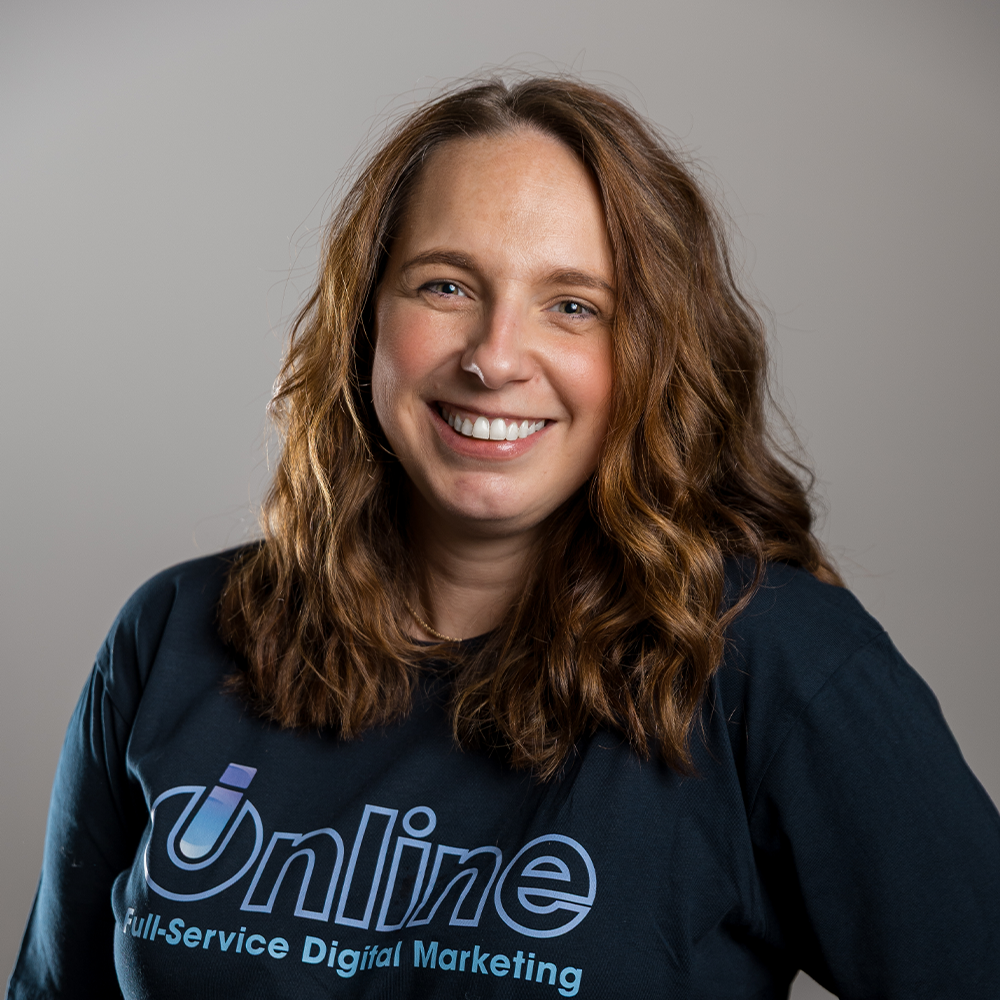
Melissa Stewart
Client Success Manager
Past Signal Sessions attendees get priority booking on iOnline’s free 30-minute growth audit. We’ll review your account live and tell you exactly where the leaks are.

Team Member Name
Team Member Title

Watching: TV

Listening: Music

Reading: Book

Drinking: Drink

Quoting: Quote

Obsessed With: Love
Why I love what I do:
Enter text
I am not about:
Enter text